Work / Independent AI · AI audiobooks from your own documents
Narrate
Turns my own PDFs and documents into narrated audiobooks. Rules clean the text and find the chapters, a model is chosen for each task, and audio is prepared ahead of where I am listening, so playback starts early.
Single user, password-protected. I use it for my own reading backlog.

01
Purpose and scope
I keep a backlog of documents I mean to read: papers, reports and long PDFs. Sustained reading needs uninterrupted time, audiobooks exist only for published titles, and generic text-to-speech sounds robotic and needs manual cleanup.
Narrate turns my own documents into audiobooks. The design goal was for a document on my computer to reach my listening queue in under a minute.
02
What I built
- A document pipeline: extract the text, classify it with AI (language, document type, title), clean it with rules, detect chapters, split it into segments, convert to speech and store it.
- Rule-based cleaning that removes running headers, page numbers and table-of-contents leaders, turns bullets into spoken ordinals and expands business abbreviations such as Q1, FY and YoY.
- One Add a book flow: choose a document, follow the real processing steps, then review an editable title, the AI summary, what the cleaning changed, the narrator and the cover before narration starts.
- Audio prepared ahead of the listener: the first batch is a quarter of the book, the next starts while eight minutes of listening remain at the current speed, three speech requests run in parallel, and unfinished preparation resumes when the app reopens.
- A model for each task: a small text model for classification, summaries and chapter titles, a fast speech model for chapters, a higher-quality one for previews, and optional AI cover art. Covers are typographic by default.
- The player: read-along text that highlights the current sentence and lets you tap to seek, chapter skips that also work from the lock screen, 15-second skips, a sleep timer that can stop at the end of a chapter, and exact resume.
- A library organized around listening: Continue listening, search, filters by progress, favorites and collections.
- Storage only in Cloudflare R2 with one-hour signed links, and segments sized to fit Vercel’s 60-second function limit, with timeouts and retries.
Next.js · TypeScript · OpenAI text and speech models · FLUX schnell · Cloudflare R2 · Vercel
03
Architecture and data flow
An upload is staged in Cloudflare R2 to get past the 4.5 MB request limit. AI classifies the document, rules clean it and find the chapters, and the text is split into 1,500-character parts mapped back to those chapters. Audio is prepared in batches ahead of the listener and stored in R2. The player follows the chapter map and highlights the current sentence from estimated timings. There is no database: the R2 key structure is the data model.
Upload a document
PDF, text, Markdown or chat export · staged in R2
Rules clean and structure
Audio prepared ahead of the listener
first quarter, then stay 8 minutes ahead · 3 in parallel
Library
Audio in Cloudflare R2
signed links · no database
Player
read-along · chapter skips · exact resume
04
In the product
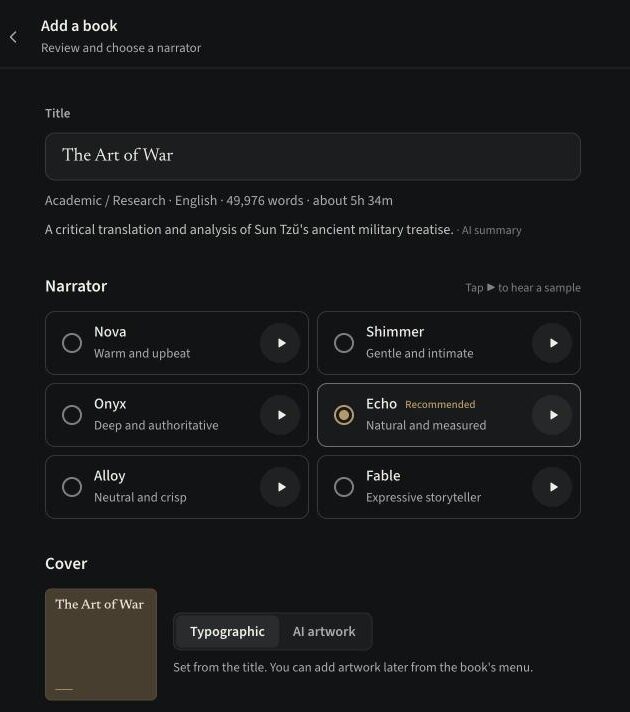
Add a book: classified and summarized, then pick a narrator
After an upload, the app shows the detected type, language, word count and estimated listening time, with a one-line AI summary and an editable title. I then pick one of six narrators, each with a sample, and a cover style before narration starts.
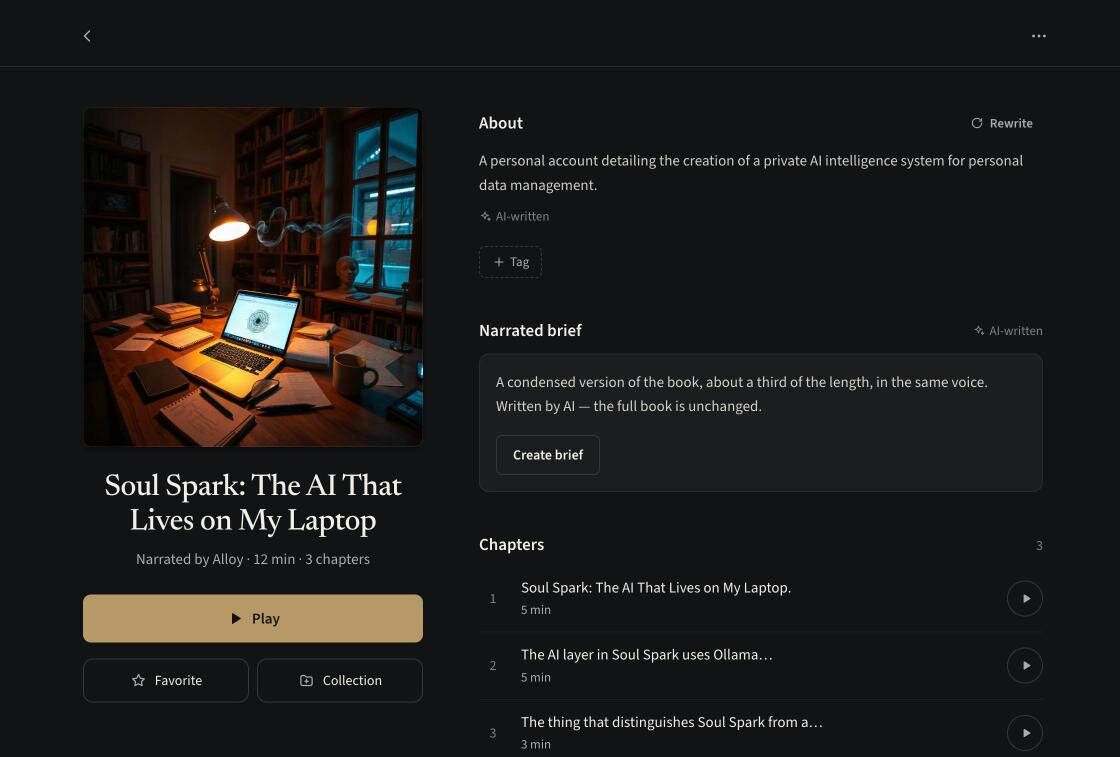
Book page: chapters from the document, each playable
The page for one of my own essays. The chapters come from the document’s headings, and each one plays on its own. The description is labeled as AI-written, and a shorter narrated brief can be created on request.
05
What the prototype demonstrates
- Designing an AI pipeline around real limits: request size, function timeouts and speech latency.
- Using rules where they are reliable, and AI only where judgment is needed.
- Choosing a model for each task on speed and quality.
- An interface built around listening, with plain status for what is ready, what is being prepared and what failed.
06
Current limits and next steps
Limits today
- Single user and no commercial use.
- No automated tests and no measured performance figures.
- Audio is prepared by the open app, not by a server. Preparation resumes when the app reopens.
- Two of the nine cleaning rules are partial: tables become comma-separated values, and number handling covers dashes only.
- The per-book voice personality applies only when the fallback speech model is used.
Next
- Settle the voice model with a blind comparison, then keep or drop the voice personality.
- Add telemetry without content (latency, retries and cost per segment) and an evaluation set for the classifier and cleaning rules.
Next project
CircleWorks